
You are paying for Indian e-visa fees and your card declines or the transaction doesn't complete - no money has left your account. This is a different situation from a payment that went through with no confirmation. Here, the problem is on this side of the transaction: something blocked the payment before it processed.
The good news is that a failed payment doesn't affect your application. Your India Visa application is saved, your details are intact, and you can retrieve it with an application ID. Here's what's causing it and exactly how to fix it.
Why India e-Visa Payments Fail?
The official portal accepts Visa and MasterCard credit and debit cards, both international and domestic as well as PayPal. Failures typically trace back to one of the following:
❌ Card not enabled for international transactions
Many banks block international online transactions by default. If your card hasn't been used for international payments before, this is the most likely cause. Contact your bank or enable international transactions through your banking app before retrying.
❌ Card doesn't support INR or USD transactions
The India e-Visa fee is charged and processed in US Dollars (USD). Your card must support either INR or USD online transactions. Some cards have restrictions on specific currencies. So, check with your issuing bank.
Check your India e-Visa fee as an eligible national of Singapore, Poland, Ireland and other 170 countries.
❌ Insufficient balance or credit limit exceeded
The payment will fail silently if your card doesn't have sufficient available balance or if your credit limit has been reached. Check your available balance before retrying.
❌ Daily transaction limit exceeded
Most banks impose a daily cap on online transactions. If you've made other online payments that day, you may have hit the ceiling. Either wait until the next day or use a different card.
❌ 3D Secure or OTP failure
The portal uses 3D Secure authentication, a one-time password or verification code sent by your bank. If the OTP page timed out, if you entered the wrong code, or if your bank didn't send the OTP in time, the transaction fails. Retry with the OTP ready and submit it promptly.
❌ Browser cache or cookies blocking the gateway
Stored cache and cookies can interfere with the payment gateway redirect. The official portal advises deleting browser history and cookies before attempting payment, and switching browsers if the problem continues.
❌ Card reported lost or stolen
If your bank has flagged the card — even in error — the transaction won't process. Contact your bank to verify the card's status before retrying.
How to Fix It? Step by Step Process
Step 1 - Identify the likely cause
Run through the checklist above. Most failures are either a card restriction or a browser issue and both are fixable in minutes.
Step 2 - Clear browser cache and cookies
Go to your browser settings, clear all browsing data including cookies, then close and reopen the browser. Alternatively, open a fresh private or incognito window.
Step 3 - Try a different browser
The payment gateway behaves differently across browsers. If Chrome failed, try Firefox. If Safari failed, try Chrome.
Step 4 - Contact your bank if needed
If the card itself is the issue — international transactions blocked, daily limit hit, currency restrictions — resolve it with your bank before retrying. This prevents repeated failed attempts that could trigger a card block.
Step 5 - Return to your saved application
Your application is saved. You do not need to start over. Return to the official Indian e-Visa portal and use the 'Verify Payment / Pay e-Visa Fee' tab, or access your saved application using your application ID.
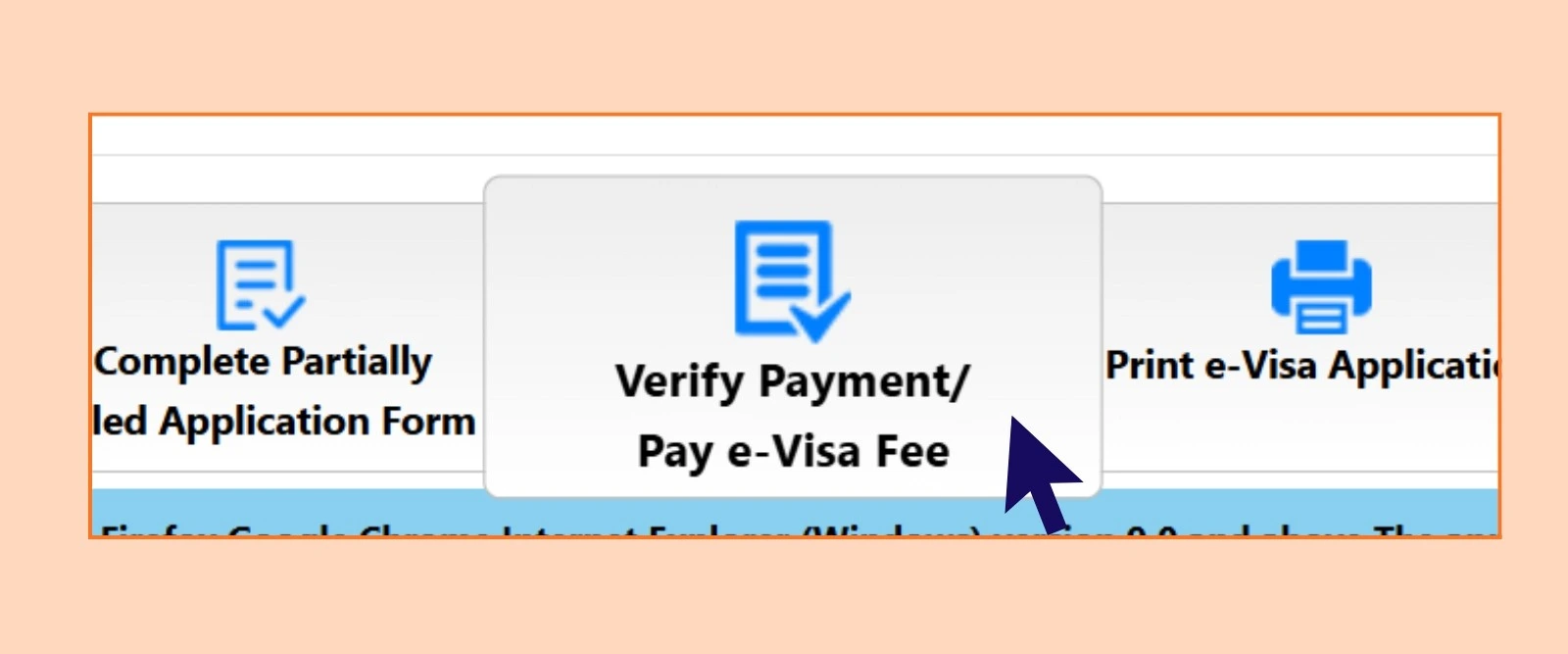
Step 6 - Retry the payment
Wait a minimum of 25 minutes between payment attempts on the same application ID. Do not attempt multiple rapid retries as it can trigger additional blocks.
Using PayPal Instead of a Card?
PayPal is accepted as a payment method on the official Indian e-Visa portal alongside Visa and Mastercard, and it's worth considering specifically as a fix for card-based failures, not just as a preference.
Why it sidesteps several common failure points?
Many of the failures covered above, blocked international transactions, currency-support restrictions, 3D Secure timeouts, happen at the point where your bank authenticates a card transaction in real time. Paying through PayPal shifts that authentication to your PayPal account instead, which is already set up for cross-border payments and doesn't require a fresh international-transaction approval from your card issuer for this specific merchant. If your card keeps failing for reasons that seem to be on the bank's side rather than the portal's, switching to PayPal on the same application is a reasonable next step before assuming something is wrong with the application itself.
How to select it?
On the payment step, the portal offers a choice between its payment gateways. Not every gateway option supports every method; PayPal availability has historically been tied to a specific gateway choice rather than being universally selectable, so if you don't see it immediately, check whether a different gateway option on the same screen exposes it.
Is there any charge?
As with card payments, a transaction charge still applies to PayPal payments, and it's on the higher end. Don't treat PayPal as a way to avoid the transaction fee altogether, only as an alternative payment path when your card is the source of repeated failures.
One practical note: if you're logging into PayPal on a shared or public computer to complete this, log out afterward. This has nothing to do with the visa process itself, but it's a detail worth mentioning given how often these payments are completed on airport, hotel, or library computers while travelers are mid-trip and troubleshooting on the fly.
Watch Out for Dynamic Currency Conversion at the Payment Screen
This isn't unique to the India e-Visa portal, but it's one of the more common, and most avoidable, reasons a payment appears to go through at the wrong amount or gets flagged by a card issuer as unusual.
Dynamic Currency Conversion (DCC) is a feature some payment gateways or card networks offer where, instead of letting your card issuer convert a foreign-currency charge into your home currency, the merchant's payment system does the conversion itself and asks you to approve a charge already converted into your currency at the point of sale. It sounds convenient, but the exchange rate used is typically worse than the rate your own bank would apply, sometimes by a meaningful margin, and it's a separate decision point that can interrupt or confuse an otherwise straightforward payment flow.
If, during the payment step, you're presented with a choice between paying in USD (the currency the e-Visa fee is processed in) or in your home currency, choosing to pay in USD and letting your own card issuer handle the conversion is generally the better financial choice. It also keeps the transaction simpler on the portal's end, since the amount matches what the system expects rather than a converted figure calculated by a third party.
This is worth knowing before you pay, not after a failed attempt, since some travelers who decline a DCC prompt or back out of that screen to reconsider have reported the payment session timing out as a result.
When You Need to Start a New Application?
If you have already tried more than three times and payment continues to fail, you may need to re-submit the entire application form.
Before resubmitting, resolve the underlying card or browser issue, otherwise a new application will face the same problem. A new application requires a new application ID and a fresh start from the form, but your personal details and documents remain the same.
Failed Payment is not a rejection!
Your India e-visa application has not been reviewed, it hasn't reached that stage yet. Your application details are intact and your eligibility is unaffected. This is a payment gateway issue only.
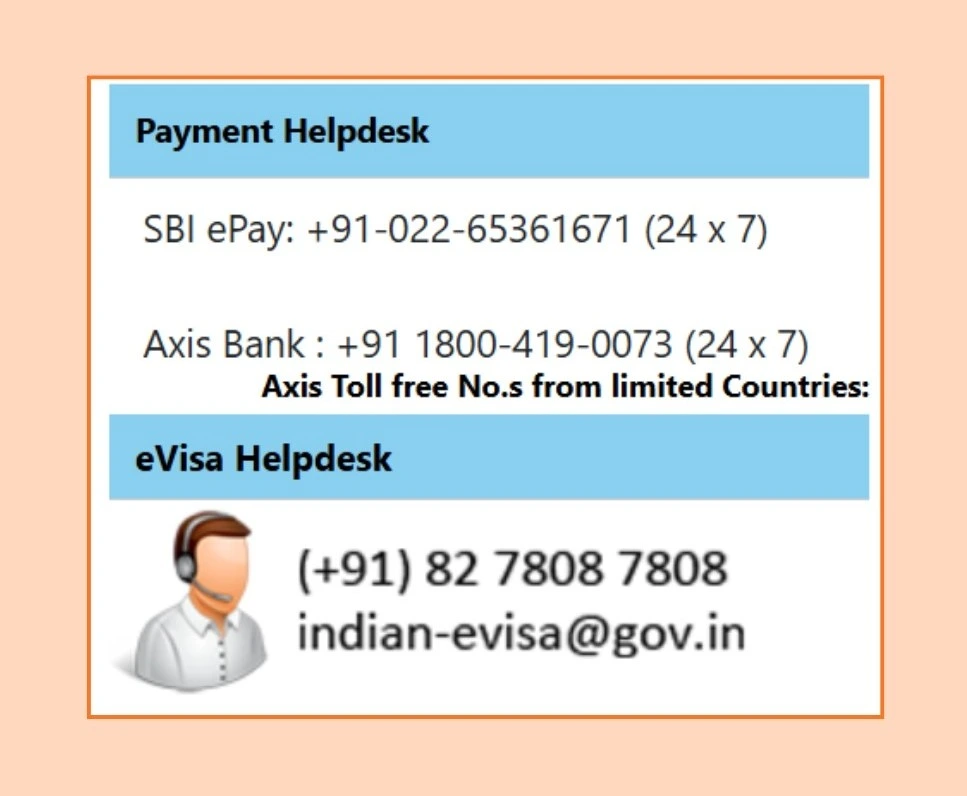
Do not contact the visa helpdesk about a payment failure, that helpdesk handles visa decisions, not transaction issues. For payment problems, contact the relevant processor:
Does a Failed Payment Get Flagged or Affect Future Applications?
No. This is one of the more common anxieties around a failed transaction, and it's worth addressing directly since the underlying fear, that a failed payment somehow marks your profile or application negatively, isn't how the system works.
A failed payment is a payment event, not an immigration event.
The Bureau of Immigration's review of your application, your eligibility, your documents, your travel history, happens entirely separately from whether a specific card transaction succeeded on a specific attempt. A declined card, a timed-out OTP, or a browser issue leaves no mark on your application file beyond the payment status itself showing as unpaid.
Multiple failed attempts on one application don't count against you.
Trying a card, having it fail, switching to another card, and succeeding is a routine, unremarkable sequence from the system's perspective. What matters for the review stage is the completed application and a successfully processed fee, not how many attempts it took to get there.
A new application ID after starting over also isn't a red flag.
If repeated failures eventually require resubmitting the form entirely, as covered above, the new application is treated as any other first-time submission. There's no linkage flagging it as a retry of a failed prior attempt in a way that affects the outcome.
The only genuine risk from repeated failed attempts is a practical one, not a policy one: your own bank's fraud system may temporarily restrict the card after several rapid declines from the same merchant, which is exactly why spacing out attempts and resolving the underlying cause first, rather than retrying immediately and repeatedly, is the better approach.
Payment issues sorted and ready to apply?
At IVC Visas, our team completes and reviews your India e-Visa application before submission. So once payment goes through, everything else is already in order. No failed applications, no preventable rejections.
Check common India e-Visa application mistakes before submitting or reapplying, or contact our team if you need help navigating a persistent payment issue.
Start or resume your India e-Visa application with IVC Visas!
Disclaimer: IVC Visas is an independent visa service provider. We assist with application preparation and submission to official government portals. Final visa approval decisions are made solely by Indian immigration authorities. All information is based on current regulations as prescribed by the Government of India, which may change. Always verify the latest requirements before travel.